5. Tips on usage
5.1. Saving views persistently
By default, saved views are stored in browser local storage, meaning they exist only in your current browser on your current device. They do not sync between browsers or devices.
To make saved views available across different browsers or devices, configure the Database directives so the views are stored on the server instead. Note that they are specific to the user that created them.
5.1.1. Sharing views with other users
You can share views with other users. Under Views / Manage Views, select the arrow button. Confirm your choice.
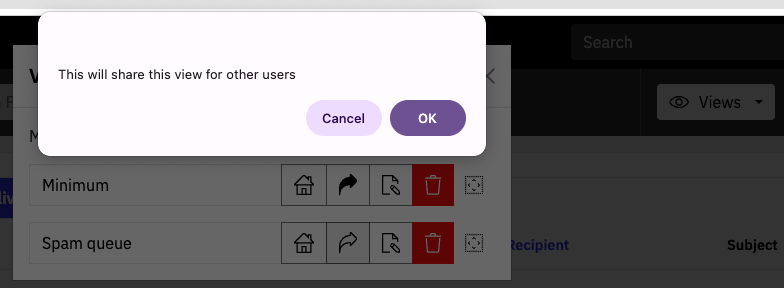
Views can be “unshared” afterwards in the same way.
5.2. Display of hostnames
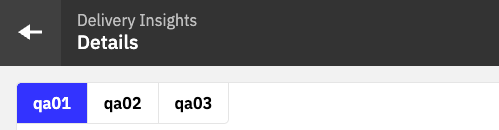
In the Overview screen and also in tabbed views, the interface presents the hostname from the operating system of each instance.

If no hostname is set, the IP address is shown.
You can change this behavior by setting the hosts[].name property.
This helps when working with clusters of many instances, or with long hostnames.
For example, the above system could be presented as:
5.3. !Env - using environment variables
Key / value pairs can be injected into environment variables which can then be used in the YAML config file.
The !Env functionality is not enabled by default so needs to be set when the process is started. For example, for Docker, the web image file needs to change to include the configuration setting
CMD [ "/opt/halon/node/bin/node", "/opt/halon/web/dist/bin/server.js", "--config-env-substitution" ]
Variables can then be used in configuration files as per this example
users:
  - username: admin
    password: !Env ${HALON_PASSWORD_WEB}
The config can include a default value that would be used if the environment variable is empty. For example
username: !Env ${HALON_USERNAME_WEB:admin}
Any fields can be set using variables, but since fields environment variables are set as strings, they need to be cast if the values are intended to not to be strings (eg booleans and numbers). For instance, to set the port number would need this syntax (showing port 2525 as the default value).
port: !Env tag:yaml.org,2002:int ${PORT:2525}
Options for different cast values are at yaml.org.
NB passwords for web UI users still need to be encrypted with bcrypt before they are passed to the variable.
Environment variables are set when containers are launched. For example in the Kubernetes documentation.